About the Author

Ken - COO of GOBEAR

Ken

COO of GOBEAR

[email protected]

I'm the COO of GOBEAR. We help entrepreneurs, mall operators, 3C mobile stores, event venues, and campus retailers tap into high-margin, low-maintenance vending models.

Phone Case Printing Machine Voltage Guide

Sourcing phone case vending machine directly impacts your operational costs and long-term machine reliability. Mismatched voltage causes immediate equipment failure, inconsistent print quality, and voids warranty claims.

We detail specific voltage requirements, outlining common standards like 110–120 V and 220–240 V by region. Understanding these power specifications prevents critical damage, ensures consistent print quality, and protects your investment.

Why Voltage Matters for Phone Case Printing Machines

people-waiting-for-buying-DIY-phone-cases-from-a-vending-machine_1765526555

Correct voltage ensures phone case printing machines run safely, efficiently, and produce quality prints. Mismatched voltage causes equipment failure and inconsistent output.

Voltage is the electrical potential that drives current through a machine's electronics, motors, UV lamps, heaters, and control systems. Phone case printing machines, whether UV flatbed, sublimation, or vending units, are built for a specific input voltage range. If the mains voltage from the wall does not match the machine's rated input, every component can behave abnormally or fail.

Common voltage standards worldwide

Phone case printing machines are sold globally and follow regional mains standards. Most units are designed for either 110–120 V or 220–240 V AC, sometimes with switchable or auto-sensing power supplies.

Here are typical mains voltages by region:

  • North America (USA, Canada, parts of Central America): Commonly 110–120 V AC, 60 Hz. Many small or entry-level printers are offered in 110–120 V versions for this market.
  • Europe (EU/UK), most of Asia, Africa, Middle East, Oceania, South America: Commonly 220–240 V AC, 50 Hz. Higher-capacity and industrial printers frequently require 220–240 V for stable, high-power operation.

Different designs use different voltages for a few reasons. High-power components like UV lamps, heaters, and vacuum pumps run more efficiently and with lower current at 220–240 V. This reduces stress on cables and connectors. Compact units, especially those for North American kiosks, are often optimized for standard 110–120 V outlets to simplify installation.

When you pick a machine, confirm if the model is single-voltage, dual-voltage switchable, or auto-range. Match it to your local grid to avoid using makeshift adapters that can bypass proper grounding or overcurrent protection.

Why incorrect voltage can damage equipment

Using the wrong voltage—too high, too low, or unstable—is a top technical risk for UV and sublimation phone case printers. Damage can happen instantly, or it can gradually shorten the machine's life and cause intermittent faults.

Here is what happens with wrong voltage:
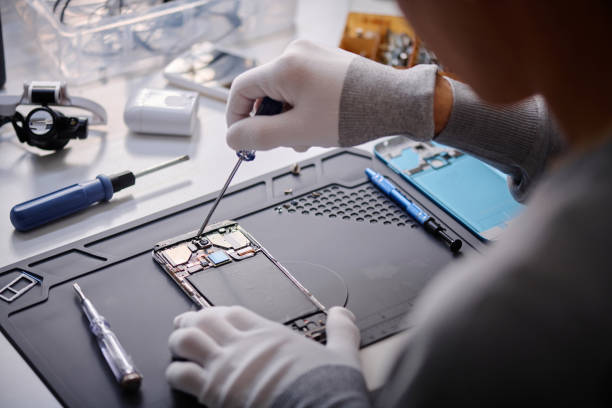
  • Overvoltage (higher than rated): Feeding 220–240 V into a machine rated for 110–120 V can destroy the power supply, cause capacitors to explode, or permanently damage main boards. Voltage spikes can burn control electronics, motion systems, and UV lamp modules. Heaters and vacuum systems might overheat, leading to deformation or motor failure. Overloaded wiring also poses fire hazards.
  • Undervoltage (lower than rated): Operating a 220–240 V UV flatbed on 110–120 V without a proper step-up transformer causes unstable start-ups and boot loops. UV lamps and LEDs get insufficient power, resulting in uncured or tacky ink and color shifts. Heaters become weak, leading to faded prints. Motors and pumps may stall or overheat by drawing too much current. Undervoltage often creates hard-to-diagnose quality problems.
  • Voltage spikes, surges, and dropouts: Even with matching nominal voltage, power quality is key. Spikes and surges from grid issues or other large motors can corrupt firmware or damage boards. Sags or brownouts cause intermittent faults and mid-job stoppages. Frequent power events stress internal components. Use a UPS or surge protectors for sensitive printers to smooth fluctuations and prevent abrupt shutdowns.

Phone Case Printing Machine Power Requirements

professional-repairman-working-on-broken-cellphone-at-his-desk-in-workshop_1763088870

Phone case printing machines need specific power. Voltage and frequency must match your local grid. Incorrect power causes damage and poor print quality.

Voltage requirements

A phone case printing machine needs a specific voltage input. This powers its electronics, motors, UV lamps, heaters, and control systems. The machine's design—its power supplies, drivers, and safety features—is built around a certain voltage range. If your wall outlet voltage does not match what the machine expects, its components, like printheads, motion controls, vacuum pumps, and heaters, can fail or work poorly.

Most phone case printers are designed for either 110–120 V AC or 220–240 V AC. Some units have switchable or auto-sensing power supplies. North America (USA, Canada) typically uses 110–120 V AC, 60 Hz. Many small desktop UV printers or compact sublimation presses come in 110–120 V versions for this market. Europe, most of Asia, Africa, the Middle East, Oceania, and South America commonly use 220–240 V AC, 50 Hz. Larger, industrial-grade printers, such as full UV flatbeds or multi-head UV machines, often need 220–240 V for stable, high-power operation.

High-power components like UV lamps, LED arrays, heaters, and vacuum pumps run more efficiently with lower current at 220–240 V. This reduces stress on cables and connectors. Smaller units sold for home use or mall kiosks in North America are often optimized for standard 110–120 V outlets. This simplifies installation.

Before you buy a phone case printer, confirm its model type. It might be single-voltage (e.g., only 220–240 V), dual-voltage switchable (with a manual 110/220 V selector), or have an auto-range power supply (90–264 V). Make sure it matches your local power grid to avoid using unsafe adapters that bypass grounding or overcurrent protection.

Frequency requirements (50Hz vs 60Hz)

Phone case printing machines using AC power must match your local grid frequency. This is typically 50 Hz or 60 Hz. Most manufacturers explicitly state dual-frequency support, often labeled "50/60 Hz".

Frequency matters most for machine components that rely on AC cycles, such as heaters, motors, pumps, fans, and vacuum systems. For instance, in heat press systems, the vacuum or suction function is a significant electrical load. If the frequency does not match, these components can operate inefficiently or even fail. For example, motors designed for 50 Hz might run faster on 60 Hz, impacting timing and mechanical precision.

When you buy a machine for international use, choose one with an input rating that clearly matches the local supply, like AC 220–240V 50Hz or AC 110–120V 60Hz. If the machine does not support the local frequency, you might need a certified converter or a replacement unit. Always check the machine's nameplate or specification sheet for its input voltage and frequency before you buy or install it.
Unlock Rapid ROI with Custom Case Vending

Our AI-powered machines deliver personalized phone cases instantly, promising a rapid 1-month payback with just 10 sales daily. Benefit from robust Epson printheads, 3-year warranty, and cloud management with no software fees for maximum profit.
Calculate Your ROI Potential →
CTA Image

Country-by-Country Voltage Compatibility

Phone case printing machines need correct voltage for safe operation and print quality. Match the machine to local grid specs and circuit capacity, typically 110-120V or 220-240V AC.

Region Nominal Voltage Frequency Common Plug Types
USA and Canada 120 V 60 Hz NEMA 5‑15P, 5‑20P / 6‑15P/6‑20P
Europe 220–240 V 50 Hz Type C/F (Schuko), Type G (UK)
Australia and New Zealand 230–240 V 50 Hz Type I
Middle East 220–240 V 50 Hz Type G (UK style), Type C/F (Europlug/Schuko)

USA and Canada

The US and Canada run on 120 V, 60 Hz single-phase for standard outlets. You see 240 V for high-power circuits, but it is not common for small to medium printers. Standard equipment uses NEMA 5‑15P (120 V, up to 15 A) plugs for most desktop UV and sublimation printers.

Desktop UV phone case printers and small sublimation systems often come in 110–120 V, 60 Hz versions for this market. Many industrial UV flatbeds and 3D vacuum presses can take dedicated 120 V power supplies or universal 100–240 V, 50/60 Hz power supplies. Confirm this before importing a machine.

Phone case printer vending machines for malls and airports typically use 120 V, 60 Hz. They need a dedicated 15–20 A circuit for the total load, including the print engine, curing or heating, user interface, and case handling.

If you import 220–240 V only machines (common from Asia or Europe), you must install a step‑down transformer. Only do this if the machine tolerates 60 Hz operation. Motors and timing belts designed for 50 Hz can run faster at 60 Hz. The manufacturer must validate this. Ensure the transformer rating exceeds the machine's maximum power draw by 20–30% for UV lamp startup and heater inrush currents.

For vending deployments, coordinate with facility teams for NEMA outlet type, breaker size, and allowable load. Ensure the machine's internal power distribution is UL/CSA certified for public installation.

Europe

Europe uses 220–240 V, 50 Hz single-phase for general outlets. Plug types vary by country. Continental Europe uses Type C and Type F (Schuko), typically 230 V, 16 A. The UK and Ireland use Type G (230 V, 13 A). Switzerland and other countries have national variations, but all are 220–240 V, 50 Hz.

Most industrial UV flatbed printers, 3D sublimation vacuum presses, and heat presses for phone case printing are built for 220–240 V, 50 Hz. Many manufacturers target Asian and European markets first. European buyers should ensure CE‑marked power supplies, wiring, and EMC filtering. You also need to match the plug type (e.g., Schuko vs. UK Type G) when ordering or installing.

Phone case printer vending machines for EU deployment specify 230 V, 50 Hz. They must have CE marking for the complete system. Local certification may be necessary for payment systems and network interfaces.

CE requirements apply to phone case printers (UV/sublimation) and vending machines for EMC Directive 2014/30/EU and Machinery Directive 2006/42/EC. For fixed installations in print shops, supply circuits are generally 230 V, 16 A. Larger UV flatbeds or multi-lamp systems might need dedicated 20–32 A circuits, sometimes three-phase feeds (400 V) if power exceeds 3–5 kW. Verify each auxiliary component is 230 V, 50 Hz and CE‑marked.

Machines imported from North America (120 V, 60 Hz) need a step‑up transformer to 230 V only if their power supply supports 50 Hz. Otherwise, you need a new power supply or a region‑specific version. For OEMs designing global‑ready phone case printers, auto‑ranging power supplies (100–240 V, 50/60 Hz) simplify deployment across Europe, the Americas, and parts of Asia/Oceania.

Australia and New Zealand

Australia and New Zealand use 230–240 V, 50 Hz. The plug type is Type I (three flat pins in a V‑shape, one for earth), usually 10 A. Higher-current versions exist for heavier loads.

Phone case UV printers, sublimation systems, and 3D vacuum presses from Asia or Europe that are 220–240 V, 50 Hz are typically directly compatible with AU/NZ mains. This requires only a plug change or a region‑specific power cord.

Phone case printer vending machines for AU/NZ shopping malls specify 230 V, 50 Hz. They must meet local electrical standards. They may use a standard 10 A Type I plug for small to medium machines or higher‑rated sockets for heavy UV or heating loads.

Confirm all internal components (motors, pumps, heaters) are rated for 50 Hz operation. This is standard for most 230 V equipment. For direct imports, replace the original plug with a compliant Type I plug or use a certified adapter. Ensure the cable and plug are rated for the machine’s full load. For kiosk deployments, work with facility teams to secure dedicated 10–16 A circuits. Verify that startup inrush from UV lamps or heaters does not trip breakers during peak demand.

Middle East

The Middle East uses 220–240 V, 50 Hz, with various plug types. The voltage and frequency generally align with European-specification phone case printing machines. Common plug types include Type G (UK style, 230 V, 13 A), widely seen in Gulf countries, and Type C/F (Europlug/Schuko) in some residential/commercial settings. Newer commercial buildings often adopt Type G for consistency.

UV flatbed phone case printers, sublimation heat/vacuum presses, and 3D sublimation systems that are 220–240 V, 50 Hz (European or Asian spec) are generally compatible in most Middle Eastern countries. You only need plug and socket type coordination.

Phone case printer vending machines in airports, malls, or tourist zones connect directly to 230 V, 50 Hz circuits. They must use locally approved plug types and circuit ratings suitable for their load. Environmental conditions (heat, dust, humidity) in some regions may need enhanced cooling/ventilation for power supplies and UV lamp drivers, plus dust protection around power inlets and internal power distribution.

Many Middle Eastern markets align with IEC standards. Equipment designed and certified for EU 230 V, 50 Hz is often acceptable. Importers should verify acceptance of CE‑marked equipment or the need for GCC or national conformity markings. Also check local rules for unattended vending equipment in public spaces, especially regarding electrical safety and over‑current protection.

For multi‑country deployments, standardize on 220–240 V, 50 Hz equipment with 100–240 V, 50/60 Hz auto‑ranging power supplies. This simplifies logistics across regions that might include sites in Europe or Asia. Modular power input designs allow easy cord swaps between Type G and Type C/F while keeping the internal power supply unchanged.

Do You Need a Transformer?

You need a transformer when your machine's voltage does not match local power. Otherwise, connect it directly. Correct sizing and frequency are crucial for proper function.
When a transformer is required

  • If the machine’s nameplate or manual shows a voltage different from your local supply, you need a transformer or voltage converter. This makes sure the machine gets the right input.
  • When you install a machine from one market into another with different standards, check both voltage and frequency. Matching voltage alone might not be enough for it to work right.
  • Phone case heat presses get their electrical load from heating plates. Under-voltage causes slow warm-up, unstable temperature, and bad transfer results. Over-voltage damages heating elements or the controller.
  • If your machine is rated for your local mains voltage, you do not need a transformer. Just connect it directly to the correct power supply.

How to choose the correct transformer

  • Pick a transformer that delivers the same output voltage as your machine’s rated input voltage. It also needs the correct input voltage for your wall supply.
  • Size the transformer above the machine’s maximum power draw. Heating presses use a lot of current during warm-up, so the transformer must handle both startup and continuous load without overheating.
  • Check the machine’s wattage or amperage rating on its nameplate or manual to figure out capacity. The transformer should exceed that rating with some room to spare; do not run it at its limit.
  • Match the transformer type to the machine’s power needs. Use a step-down transformer if the machine requires lower voltage than the supply. Use a step-up transformer if the machine needs higher voltage than the supply.
  • Confirm the transformer handles the right frequency if your machine is sensitive to it. Many industrial devices have specific regional standards.
  • Use proper grounding and a plug/socket setup that works for the machine’s load. Do not run heating equipment for phone case printing through undersized adapters or light-duty converters.

Installation Checklist Before Powering On

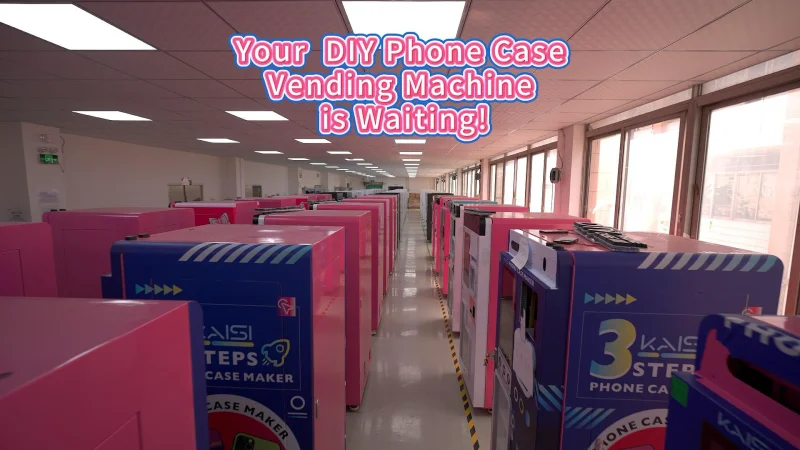
your-diy-phone-case-vending-machine-is-waiting_1764671039

Always check electrical compatibility, safe placement, and correct consumable setup before powering on your phone case printer. This prevents damage and ensures print quality.

Physical Installation and Pre-Power Verification

  • Confirm the supply voltage and power frequency match the machine nameplate.
  • Verify the outlet and circuit capacity are right for the machine’s rated amperage.
  • Use a grounded outlet. Don't use extension cords unless the manufacturer clearly allows it.
  • Inspect the power cord and plug for cuts, deformation, loose pins, or shipping damage.
  • Set the machine on a stable, level, heat-resistant surface. Leave enough clearance around vents, lids, and moving parts.
  • Remove all shipping materials and security tape from outside and inside the machine.
  • Check that heaters, platens, fixtures, or phone-case molds are installed correctly and seated fully.
  • Confirm the correct phone case fixture or template is loaded for the model you intend to use.
  • Ensure the printer film loads in the right orientation. The print side faces the matte side of the film.
  • Verify ink, film, and case blanks are the correct type for your sublimation or UV workflow.
  • Clean the work area and machine surfaces. Get rid of dust, adhesive residue, and packing debris.
  • Check that lens pads, tape, gloves, or other necessary accessories are present and ready.

Electrical Readiness and Initial Operational Setup

  • Measure or confirm local mains voltage against the machine’s rating label before powering it up.
  • Do not assume 110–120 V and 220–240 V equipment works interchangeably without a transformer or dual-voltage design.
  • If the machine has dual heating zones or multiple power circuits, confirm each circuit connects as specified.
  • Make sure the wall outlet is not shared with heavy-load equipment. This prevents voltage drop or nuisance tripping.
  • Open and close lids, drawers, or vacuum/press mechanisms by hand to confirm nothing binds.
  • Verify ventilation or exhaust paths are clear. The machine needs to dissipate heat properly.
  • Keep hands clear of heated surfaces and pinch points during test startup.
  • Match the blank case size and model to the fixture chart. The case should sit snugly without distortion.
  • Check the sublimation film side orientation: matte side for printing, glossy side away from ink.
  • Mirror the design before printing. The final transfer needs to read correctly on the case.
  • Preheat only after you confirm the machine is fully assembled and stable.
  • Review the machine’s startup settings. Have temperature, time, or preheat values ready to enter.
  • Avoid plugging a 220–240 V machine into 110–120 V power, or the other way around.
  • Ensure you remove all shipping tape or foam from inside the machine.
  • Do not start with the wrong case fixture.
  • Avoid loading film backward.
  • Power on only after the machine is fully assembled and level.
  • Use an outlet that handles the heater load.
  • Perform the grounding check diligently.
  • Document the installation. Take photos of the nameplate, wiring, fixture setup, and removed shipping materials.
  • Run a short, supervised test cycle after power-on. Confirm display function, heating response, and alignment.

Common Electrical Problems and Solutions

Mismatched or unstable voltage is a top cause of electronics failure and inconsistent print quality in phone case machines. Getting voltage right prevents issues and keeps production smooth.

Recognizing Common Electrical Malfunctions

Voltage directly affects how a phone case printing machine runs. Incorrect or unstable power creates problems from bad prints to complete breakdowns. Knowing what to look for helps you act fast.

  • Incorrect Input Voltage: The machine might not power on or restarts often. Error codes related to the power supply or mainboard show up. Heat press plates cannot maintain temperature, and UV lamps might fail to ignite or shut down during curing. This happens when you connect a 110-120V machine to 220-240V, or the other way around. Grid fluctuations, wrong selector switch settings, or using non-rated extension cords also cause it.
  • Overloaded Circuits: The breaker trips when you run a UV printer, heat press, and air compressor together. A press might stop mid-cycle, or a UV printer resets when lamps and a vacuum pump start at once. This means you have too many high-wattage devices on one circuit, the breaker is too small, or devices with high inrush current start simultaneously.
  • Poor Grounding: You notice increased static on phone cases, leading to misfeeds, skewing, and registration errors in UV printing. You might feel "zaps" when touching the machine. Communication errors happen between the mainboard and print heads. Serious cases carry a shock risk and damage electronics. Causes include missing ground wires, using 2-prong adapters, corrosion, or poor bonding.
  • Static Electricity and Discharge: Plastic cases attract dust, causing ink defects on UV prints. Sheets or film might stick, misfeed, or shift, affecting alignment. Electrostatic discharge can upset sensors and control boards. This comes from insufficient grounding, very low humidity, non-antistatic materials, or high transport speed.
  • Power Supply Unit (PSU) Failures: The main screen turns on, but UV lamps do not light, or print carriage motors do not move. You might hear strange noises or smell burnt components from the power supply. Error codes often point to lamp drivers or motion controllers. This can be due to chronic over-voltage, repeated surges, overheating from dust, or continuous running near maximum load.
  • Heater and Temperature Control Issues: Heat press plates do not reach target temperatures or fluctuate widely during pressing cycles. The controller shows sensor or heating element errors. For UV printers, ink remains tacky, or adhesion is poor. This results from loose wiring, incorrect mains voltage, faulty temperature sensors, worn heating elements, low UV supply voltage, or wrong lamp settings.
  • Motor and Motion Errors: The print carriage stalls, vibrates, or loses position. Feed rollers misalign cases. You see X/Y/Z axis alarms or "over-current" errors. These problems stem from under-voltage to motor drivers during high loads, power surges damaging driver circuits, or poor grounding causing noise.
  • Sensor and I/O Power Issues: Case detection sensors misread, limit switches randomly trigger, or you get "case misalignment" errors. This happens due to unstable auxiliary power supplies, ground noise, or low-voltage supplies overloaded by extra accessories.
  • Environmental Electrical Issues: Excessive dust and lint increase static and interfere with cooling. Very low humidity makes static worse, impacting feed and sensor performance. High ambient temperatures raise PSU and driver temperatures, increasing failure rates.

Strategic Solutions and Preventative Maintenance

Solving electrical problems and setting up preventative maintenance reduces downtime and improves print quality. Proactive steps keep your phone case printing machines running well.

  • Voltage Matching and Stability: Verify the machine’s nameplate rating for voltage and frequency, matching it to your power supply. Use dedicated circuits with correct voltage and breaker size. For unstable grids, install an automatic voltage regulator (AVR) or a UPS with AVR, sized for the machine’s full load. Add surge protectors. Avoid long, thin extension cables, using short, appropriately rated ones instead.
  • Circuit Management: Calculate total current for all devices. Dedicate separate circuits to your UV printer, heat press, and supporting equipment like air compressors or chillers. Use breakers sized above 125% of continuous load, following local electrical codes. For nuisance trips during lamp ignition or compressor start, use slow-blow breakers or time-delay relays to stagger startup.
  • Proper Grounding: Ensure all UV printers, presses, and feeders are properly grounded. Confirm continuity between the ground prong and the metal frame. Regularly inspect ground wires and terminals, cleaning corrosion and tightening loose connections. Bond additional items like feed tables and metal jigs to ground. In high-static environments, combine grounding with ionization bars and 40-60% RH humidity control.
  • Static Control: Maintain 40-60% relative humidity in the print room. Install ionizing bars or air blowers near feed tables, print heads, and UV curing zones. Use antistatic-coated substrates or films. Ensure proper equipment grounding and optimize transport speed to reduce friction and static buildup.
  • PSU and Heater Maintenance: Keep PSU ventilation paths clean, scheduling regular dust removal and fan inspection. Confirm input voltage is within PSU rating and add surge protection. If a PSU is faulty, measure DC output voltages under load and replace it or the lamp ballast with OEM-specified parts. For heat presses, verify input voltage at terminals, inspect for discoloration or looseness, and test heating element resistance. Replace faulty temperature sensors. For UV printers, verify lamp power settings and replace aging lamps and ballasts as needed.
  • Motor and Sensor Solutions: Verify motor driver supply voltage remains stable during motion. Keep motor and encoder cables away from high-voltage lines. Ensure all drive units and control cabinets are properly grounded. Measure low-voltage rails at sensors and replace regulators if unstable. Check connectors for oxidation and use shielded cables for critical sensors.
  • Environmental Controls: Maintain climate-controlled print rooms for UV phone case production, with stable temperature and 40-60% RH. Use industrial humidifiers or dehumidifiers. Implement regular cleaning of machine interiors to reduce dust and static. Ensure adequate clearance and airflow around equipment to keep electronics cool.
  • Electrical Maintenance Best Practices: Monthly, inspect power cords, plugs, and outlets for damage. Quarterly, verify ground continuity on all major machines. Clean control cabinets and cooling fans regularly. Check feed rollers and drive components for wear after about 5,000 cycles. Install industrial surge protection and line filters. For multiple printers, balance high-power devices across phases and give each UV printer and large heat press its own breaker and line. When adding new equipment, recalculate total load and upgrade wiring or panels as needed.

Final Thoughts

Cutting corners on voltage compatibility leads to costly downtime, machine damage, and inconsistent print quality. Your profitability and reputation depend on selecting machines engineered for your precise electrical grid. Smart investment in the right equipment ensures reliable production and superior results, safeguarding your operation against unforeseen failures.

Ready to equip your business with dependable printing solutions? Our experts understand the global electrical landscape and can help you configure machines tailored to your operational needs and region. Reach out today for a consultation or to explore our compliant, high-performance equipment catalog.

Claim Your Custom Quote & Free ROI Blueprint Today!

Share your business vision with us. Our automated retail experts will craft a tailored strategy and a comprehensive profitability report to unlock your next revenue stream.

  • Fast 7-Day Payback
  • 31+ Proprietary Patents
  • Hyper-Personalized & AI-Driven
  • 3-Year Worry-Free Warranty
  • Low-Touch Operation
  • 24/7 Automatic Profit

Contact Us

Whatsapp