How Long Does It Take To Learn a Phone Case Printing Machine
Learn Phone Case Printing Machine training ensures quick operator proficiency for commercial success. Reduce labor costs...

I'm the COO of GOBEAR. We help entrepreneurs, mall operators, 3C mobile stores, event venues, and campus retailers tap into high-margin, low-maintenance vending models.
Best Selling Phone Case Vending Machine Types in USA share one overlooked risk: choosing the wrong model for your traffic profile can erase your margin within months. Most first-time buyers fixate on the hardware price tag, but the real cost emerges when a machine sits under a lease it can’t pay back.
This analysis dissects the two core architectures—pre-stocked vending and DIY custom-printing kiosks—against the metrics that determine profitability: per-case gross margins up to 92%, startup capital from $5,000, and daily throughput thresholds. We cut through the spec sheets to show which format survives high-traffic pressure and which quietly loses money in the wrong location.
Two core models: pre-stocked machines for fast, low-cost sales, and custom-printing kiosks that deliver on-demand, high-margin personalization.
These units function like standard snack venders—stock ready-made cases and dispense them instantly. They trade personalization for speed and a simpler operation.
DIY kiosks print a custom design directly onto a blank case while you wait. They justify a higher upfront investment with premium pricing and a strong experience-driven draw.
Unattended kiosks that turn blank cases into personalized $25–$50 products in under five minutes—no counter staff, no pre-printed inventory risk.
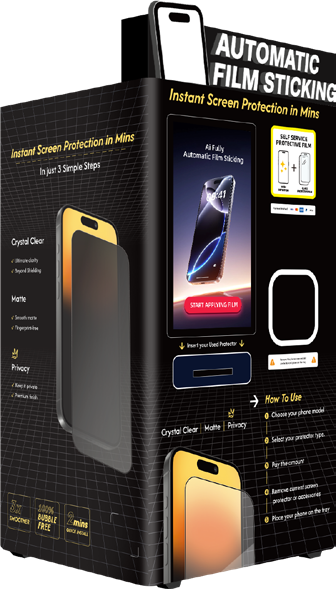
DIY phone case printing machines compress an entire custom-manufacturing workflow into a single cabinet. The customer handles everything at the touchscreen, the machine does the rest, and the operator collects revenue without staffing a register. That core dynamic—on-demand production combined with self-service—is what makes these units so effective in high-traffic retail environments.
Here is what the hardware and software stack actually delivers:
The operational logic behind these machines is straightforward: put a compact, internet-connected print factory in front of foot traffic, let customers do the design work themselves, and collect payment before anything gets manufactured. That eliminates dead stock, reduces labor to route-based restocking, and turns a few square feet of floor space into a high-margin accessory business. For operators comfortable managing printer maintenance and consumable supply chains, the model scales across multiple venues with limited incremental overhead.
AI in these machines handles the fiddly image editing so customers don’t have to, cutting design time and reducing print failures.

The real upgrade from a standard photo booth printer is the on-board image processing. When a user uploads a selfie taken in a dimly lit food court, the raw file usually isn't print-ready. That’s where the automated cleanup kicks in before a single drop of ink hits the shell. The goal is to remove friction: a customer taps their phone, the machine does the technical work, and they get a sharp output.
AI portrait enhancement and auto-cutout makes this work. The software isolates people from messy backgrounds in seconds. For tourists or event-goers, this means a clean silhouette of themselves or their group against a solid color or transparent backdrop. It eliminates the awkward "I forgot to crop out the trash can" look that kills a premium sale.
Cartoon and stylization filters give these machines a strong upsell path. Instead of just printing a flat photograph, the interface offers an instant conversion to comic, anime, or sketch styles. This turns a basic accessory into a stylized art piece. In mall deployments, these filters catch the eye of younger shoppers scrolling through the preview options, often bumping a standard $25 print to a premium-tier design because the perceived artistic value is higher.
Automatic picture repair is the unsung workhorse. Low-light, grainy, or blurry shots are common when customers hurriedly grab a photo from their library. The machine’s internal sharpening, color balance correction, and noise reduction bring that file up to a resolution that won't look pixelated on a stiff polycarbonate back. Without this, UV curing a bad image just results in a permanent bad product.
The physical printing tolerances are tight, so smart layout tools are critical. A design that looks fine on a screen can be ruined if a face gets sliced out by a camera punch-hole. The system automatically aligns artwork around the specific device model’s cutouts and edges. This eliminates the operator headache of misprints and the need for manual tweaks, keeping the kiosk truly unattended.
Finally, generative design suggestions close the sale for the creatively indecisive. Instead of staring at a blank canvas, a user can browse AI-curated patterns or prompt the system to spit out multiple color and layout variations of their image. This rapid ideation turns idle browsing into a transaction because the buyer feels like they created something specific, even if the machine did 90% of the legwork.
Phone case creator kiosks turn 10–40 sq ft into a cashless, staffless micro‑store with 91–93% margins.
Phone case creator kiosks operate in just 10–40 sq ft. They fit malls, airport concourses, transit hubs, campus corners—anywhere a full retail island can’t go. The vertical cabinet design stacks a touchscreen, printer, and case storage into a single tower. There’s no backroom, no service counter, and no buildout. A standard electrical outlet and cashless payment are all the infrastructure you need.
Three compact formats cover most small‑space deployments: fully enclosed vending cabinets, mini‑kiosk stations under 100 sq ft, and wall‑adjacent corner micro‑kiosks that reclaim dead space. Startup costs run $5,000–$15,000 per machine, and there’s zero labor. Print‑on‑demand keeps material costs low—roughly $1.35 per case—while selling at $15–$20 delivers gross margins above 90%. A single unit in a strong location can generate $6,600–$33,050 in monthly net profit from a footprint smaller than a parking space.
Placement makes the difference. High‑traffic micro‑locations near entrances, escalators, gates, or food courts capture impulse purchases. Revenue per square foot easily exceeds what a traditional small store can produce because the kiosk concentrates ultra‑high margin transactions in spots a conventional retail counter can never occupy.
Large-format machines holding 500+ cases handle 30-50 daily sales in top-tier malls and airports. Real monthly net profits hit $16,900-$19,200 with ROI under 8 months.
High-capacity commercial machines thrive in malls and airports because they combine large 500+ case inventory with on-demand printing. In strong traffic locations, these units reliably handle 30 to 50 cases per day without stockouts or service interruptions. The math works because the volume offsets the higher lease costs these venues demand.
For malls, placement determines everything. Position units near central atriums, food courts, and popular fashion retailers where foot traffic peaks and impulse buying kicks in. Negotiate fixed monthly rent between $800 and $2,500 with an optional revenue share clause. This caps your downside while keeping the landlord aligned. On the product side, trend-driven designs and seasonal collections bring repeat visits from local shoppers. Run social media promotions tied directly to the mall location. Tagging the venue on Instagram or TikTok amplifies visibility for zero extra cost.
Airports operate under a different set of rules. Install machines post-security, near gates and charging stations. Travelers sitting through delays or layovers have idle time and often realize they need a case right then. Design templates need to be fast and simple. Someone rushing to a gate won't spend three minutes curating artwork. Expect higher lease costs and percentage-of-gross revenue models. You offset this with $20 to $25 per case pricing and travel-themed designs. Large consumable reservoirs become critical here. Restocking frequency matters when accessing the machine requires security clearance or navigating restricted zones.
Both environments demand cashless payment systems. Apple Pay, Google Pay, and NFC cover international visitors who may not carry local currency or cards that work in US readers. Cloud-based monitoring handles inventory tracking and uptime management across multiple machines. You spot a low-stock alert or a printer fault before it becomes a missed sales day.
The revenue potential justifies the higher upfront and operating costs these locations require:
The high-capacity segment rewards operators who treat each location as its own business unit. Mall customers want variety and trends. Airport customers want speed and reliability. Stocking logic, design libraries, and even pricing should reflect that split. A machine at a Tier-1 mall near a food court runs differently than one at a gate in a major international terminal. Remote monitoring gives you the data to make those adjustments without standing in front of the machine.
Budget sets your floor. Traffic sets your ceiling. Match both correctly, or you'll leave money on the table.
Your available capital decides which machine tier you can access. But the real math includes ongoing costs most first-timers overlook.
Traffic dictates throughput potential. Put the wrong machine in the wrong location, and either you'll lose sales to stockouts or bleed cash on underutilized hardware.
Custom phone case printing vending machines are the top-selling and most profitable format. They offer on-demand personalized printing with high margins ($15–$35 profit per case), low startup costs ($5,000–$15,000), and require no staff. Best in high-traffic locations like malls, airports, and campuses.
Most best-selling machines use UV inkjet digital printing, often with integrated Epson print heads. This technology prints directly onto hard phone cases, cures instantly with UV LED, and supports full-color, durable output. It's chosen for speed (~90-second cycle) and low production cost, enabling high margins.
Capacity refers to how many phone cases a machine can hold at once. Commercial machines typically store 300–800 cases and support up to 42 phone models. Higher capacity reduces restocking frequency and is crucial for high-traffic locations. Capacity planning balances variety, depth, and operational costs.
Scaling a vending operation isn’t about the machine with the biggest screen or lowest sticker price—it’s about the match between machine capability and location reality. When you skip the budget‑traffic framework laid out here, cheap pre‑stocked units starve in high‑dwell‑time zones and expensive custom printers burn cash where footfall can’t support them. That mismatch erodes margins faster than any competitor ever could.
Don’t let your first deployment become a trial‑and‑error tax. Book a no‑obligation location‑matching consultation to turn this analysis into a custom hardware mix, placement strategy, and supply plan that fits your exact markets. Your next step is a 20‑minute call—leave the guesswork behind.
Share your business vision with us. Our automated retail experts will craft a tailored strategy and a comprehensive profitability report to unlock your next revenue stream.